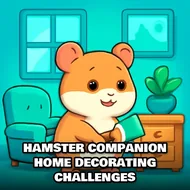
Hamster Companion Home Decorating Challenges
Instructions:
Description
How To Play Hamster Companion Home Decorating Challenges
➤Controller & Keyboard Guide
➤- Click and drag furniture pieces straight into the cage to place them wherever you like.
- Tap on wallpaper and flooring swatches to swap out the base look of the habitat.
- Use the item menu on the side to scroll through toys, bedding, and little decorative knick-knacks.
- Click an object already placed to rotate, resize, or bin it if it's not working out.
- Press the confirm button once you're happy, so your hamster can finally move into its new digs.
There's no big dramatic plot here, just a tiny hamster staring up at you from an empty, kind of sad-looking cage, waiting for you to fix that. The whole thing feels less like a chore and more like arranging a dollhouse, except the resident actually seems grateful for it. You start with bare walls and a plastic bottom tray, and it's on you to turn that into something that looks like a proper little mansion. The vibe stays light and breezy throughout, no timers screaming at you, no penalty for changing your mind three times about where the wheel should go. It's the kind of low-stakes creative loop that's easy to sink twenty minutes into without really noticing.
➤Standout Features
- A cage-building sandbox that goes way past the usual maze-and-water-bottle setup you'd expect.
- A stacked catalog of hamster toys, hammocks, tunnels, and bedding options to mix and match.
- Simple drag-and-drop placement that doesn't demand precision timing or reflexes, just taste.
- Color and pattern choices for walls and floors, so no two builds have to look the same.
- A relaxed, casual pace that fits the hypercasual crowd looking for something breezy between rounds of heavier games.
- Enough customization depth that comparing "before" and "after" cage shots actually feels rewarding.